Friday, March 6, 2015

What I Learned from a 4th Grader

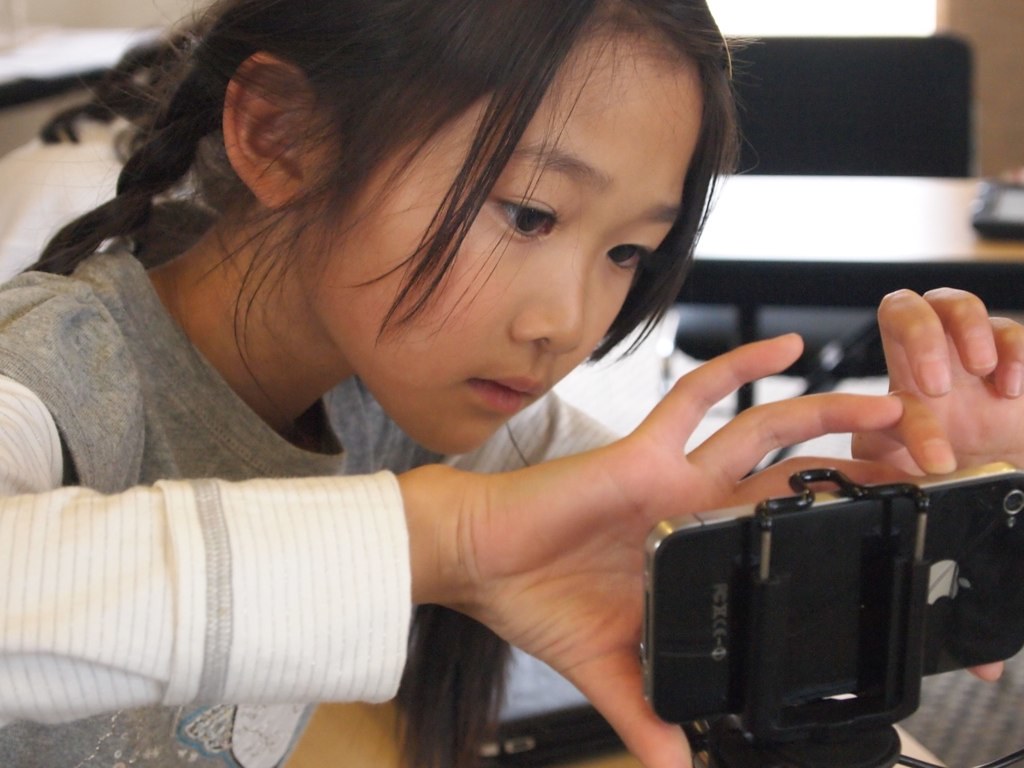
This week I coached as a literacy practicum preservice teacher taught a creative vocabulary lesson. Students worked in groups of three using Trading Cards from ReadWriteThink.org to create vocabulary flash cards. The preservice teacher modeled how to locate the site, create the card, search for and save an image to insert, and email the Trading Card to their classroom teacher. It was amazing at how many of these new literacies skills these 4th graders were already proficient.

When selecting and saving an image one boy explained to me why he wanted to save the image as a PNG while his group members wanted to save as JPG. To explain why, he taught me a new word: "lossy" (los-ee). As this child explained, JPG's save pictures using "lossy" to compress the image making
it smaller to store but changing the look of the image. This process is permanent and can blurr the edges of a picture and make it appear pixilated. Although PNG's take up more space, they are an excellent file for Internet photos. They are "non-lossy" files that compress the image without changing the quality. I was impressed with this child's knowledge not only of how to save an image, but in what format the image should be saved and for what purpose. To make sure that I completely understood this new word "lossy" I did a little online research of my own.

Dictionary.com: "A term describing a data compression algorithm which actually reduces the amount of information in the data, rather than just the number of bits used to represent that information. MPEG and JPEG are examples of lossy compression techniques."

Wikipedia.org: "'Lossy' compression is the class of data encoding methods that uses inexact approximations (or partial data discarding) for representing the content that has been encoded. Such compression techniques are used to reduce the amount of data that would otherwise be needed to store, handle, and/or transmit the represented content."

In addition to the new vocabulary word I learned from this 4th grade technology expert, I was also impressed with the process and products created by the 4th graders in a relatively short class period. Not only did they learn new vocabulary, but they worked with words deeply as they located a picture to express the word, defined it, located a synonym, used it in a sentence, and accomplished all of this using online tools.


This preservice teacher was a risk-taker in the most positive sense of the word. She modeled the process of creating one vocabulary Trading Card. Then she empowered students to collaborate to create their own, while she and I walked around the room assisting as needed. We saw students helping each other and thinking critically as they collaboratively decided which websites, which images, which format to use. Now she would take their emailed Trading Cards and post them at Edmodo so students can access them to review vocabulary in class as well as at home. She expanded the classroom beyond the walls, and all this during a lesson where she was being formally observed by her cooperating teacher.

This preservice teacher understands the necessity of teaching new literacies and knows that students are capable of accomplishing much in a short time when provided with laptops/iPads/devices connected to the Internet. Everyone was a winner in this situation: preservice teacher taught a great lesson, cooperating teacher learned a new Trading Card website, coach learned a new vocabulary word, and students learned vocabulary words plus new literacies skills. Be a risk-taker for your students!

Saturday, February 28, 2015

Innovation in Education

This week I had the great pleasure of meeting Dr. Milton Chen, senior fellow at the George Lucas Educational Foundation sharing innovative models of education at Edutopia.org. With a key understanding of the power of connecting media with education, Dr. Chen is the former director of research for Sesame Workshop and assistant professor at the Harvard Graduate School of Education. GLEF transforms K-12 education to include creativity, innovation, inspiration, project-based learning, social-emotional learning, and access to new technology. This is the kind of school that I would like to work in and to which I would send my children.

Dr. Chen inspired me with a simple question: "What's your definition of a great school? Make it short and measurable!" This question has had me thinking all week. What is it that creates a great school and how can I state that in a single short, measurable phrase?

I considered Dr. Chen's 6 Leading Edges of Innovation in our Schools: the thinking edge, the curriculum edge, the technology edge, the time/place edge which Chen describes as learning "any time, any place, any path, any pace," the co-teaching and co-learning edge, and the youth edge. Any great school gets students thinking deeply, using a curriculum that focuses on solving problems that matter in their communities and the world. Project-based learning can provide the format for students to ask important questions, search for answers, create projects that solve problems, learn from experts in their community and throughout the world, collaborate with others, and share their learning globally using readily available technology tools. Teachers empower students by putting mobile devices into their hands to change the world.

One of these edges that I have explored more deeply is the idea of co-teaching and co-learning. A great school today has access to information through a variety of sources: school leaders including teachers, principals, and paras who monitor and further learning; local experts from the community who visit classrooms to guide learners; global experts who join classrooms via video conferencing; and parents who share time and expertise in a variety of areas. When these experts co-teach the results can be greater than when any of them teaches alone. Together these co-teachers can challenge and support students by pointing them to appropriate Internet locations to inform their specific questions as well as answering student questions from a variety of standpoints.


Accompanying this idea of co-teaching Dr. Chen also emphasizes co-learning. In his presenation at the E. N. Thompson Forum, Chen compared how we used to call it cheating if you asked someone else about a question, to what we today call collaboration as we encourage students to bounce ideas off of each other, each exploring different aspects of the problem studied. Great schools encourage co-learning to prepare students for careers where they may collaborate with people from around the globe to solve problems that effect the entire planet.

So what makes a great school? At this point I say: A great school is one that empowers students to communicate, collaborate, and learn for a lifetime; encouraging innovation through co-teaching while challenging co-learners to solve problems and effectively use digital tools to share results globally. What's your definition of a great school?

Saturday, February 21, 2015

Creative Cooperating Teachers

This week I discovered a very creative plan by a Kindergarten teaching team to include literacy practicum teachers in their planning and teaching. This team created a written form noting each teaching day by weeks of the semester. During team plan time they decided when practicum teachers will observe, team-teach, and then begin teaching the various subjects. This scaffolded plan builds upon the previous experience of literacy practicum teachers. First, they observe the way their cooperating teacher teaches the subject at this grade level. Then, after observing one or two lessons the cooperating teacher and preservice teacher team-teach that subject. Finally, the preservice teachers begin teaching that subject and they continue to teach it for the duration of the semester. Following this plan preservice teachers will be teaching all day for the final five weeks of the semester, allowing them to fully incorporate their literacy research unit and preparing them well for student teaching.


The semester teaching plan incorporates the technology projects these preservice teachers will be creating as part of their accompanying digital literacy course. By building into the plan a digital story, screencast, and a graphic organizer these preservice teachers will have real time content to teach as they prepare these projects. And they will actually get to teach using these digital tools. For example, while the preservice teachers are observing writing, they will share their digital story as an example of how children can publish their writing. And the following week while preservice teachers observe Unit Studies they will present their screencast teaching the vocabulary in this lesson. Next they will create a graphic organizer to use with children as a pre-writing activity. In the weeks following hopefully preservice teachers will help students create these projects to support and demonstrate their learning. Each technology project will be used directly with children to teach digital literacy skills, and both cooperating teacher and preservice teacher grow their teaching repertoire to include technology-integrated strategies. Last semester both cooperating teachers and preservice teachers noted that both teachers learned from each other about teaching methods and technology integration.

When I observe these dyads team teaching I see great benefits for all:
1. Cooperating teachers have an extra set of hands to work with students.
2. Preservice teachers are supported in technology set-up, questioning, and teaching strategies by their seasoned teacher.
3. Children receive individualized assistance and experience deeper discussions as both teachers ask questions and record responses.

In addition this teaching team organized for their three preservice teachers to plan a unit together and each teach it in the classroom prior to planning and teaching the literacy research unit required in their methods course. This offers opportunities for collaboration of preservice teachers with the guidance of their cooperating teachers. Planning the curriculum topic for their required units in advance provides resources and ideas preservice teachers can incorporate into their unit as they plan it throughout the semester.

When I visit with these three preservice teachers each is so excited about their practicum experience! They feel valued and empowered by their cooperating teachers and thankful to be part of such an inspiring grade level team. They know what they should focus on because they know when they will begin teaching that subject. Perhaps this model the Kindergarten team shared with me will inspire other cooperating teachers with ideas to make the literacy practicum the best possible experience for the preservice teacher, cooperating teacher, and especially the children.


Tuesday, February 17, 2015

Teachers Dedicated to Growth Motivate Me

I just finished reading teacher blogs that excite me! At a time when many are discussing the need for teacher evaluation and questioning teacher effectiveness, I have the pleasure of working with teachers dedicated to continued growth. These teachers blogged about "playing" with apps on a snow day and
creating learning activities to empower students to learn new literacies skills and strategies. They shared websites, apps, and teaching ideas providing helpful questions and feedback to each other to make them even better teachers. These educators set goals to become more effective teachers by teaching students to think critically using technology. Their dedication motivates me!

Today as Guy and I reviewed our coaching work in Tech EDGE we noted several effective strategies which we look forward to implementing with these dedicated teachers. We want to visit their classrooms and see them integrate technology with their students, assisting as they desire. I share three things we learned from coaching teachers to use technology.
1. Effective coaching answers the expressed needs of teachers. Teaching apps and technology support can be presented on an individualized basis to help educators fulfill curriculum goals.
2. Coaching provides ongoing support as teachers integrate technology in the classroom. Each school and classroom offers differing devices so providing an extra set of hand to assist students with log in and search procedures can ease possible worries about teaching with technology.
3. Many participating teachers found technology coaching to be ransformational for their instruction and many became technology leaders. The interaction of highly motivated teachers with a coach dedicated to helping them succeed through encouragement and support is powerful.


Tuesday, February 3, 2015

My Growth as a Teacher using an iPad - Part 1

This month we celebrate the iPad's 5th birthday! Since February 2010 there are six iterations of the
iPad: 1, 2, 3, 4, Air, and Air 2 (each with 2 or 3 versions), and of course the iPad mini. My iPad 3 often seems like an extension of me today, but it was not always that way. As I pause, amazed that iPads have been around for 5 years and finding it hard to remember teaching before their use, I take a few minutes to chronicle my use of iPads.

I was teaching at the Schmoker Reading Center when the iPad was born. Guy was the first person I knew who purchased an iPad. At weekly meetings he showed us the amazing things this new device could do, "It's not that it does that many things, it's just that it does them so well." We saw how simply and elegantly Keynote could create graphs for easy presentation and clear understanding. Taking notes in meetings was so simple using iPad Notes compared to setting up a laptop. We learned to save images with the touch of a finger, and search for information anywhere at anytime on this mobile device. Each app we learned about was more fantastic than the next!

It took only a few months for Kathy and I to purchase iPads too! We wanted to learn along with Guy, and none of us wanted to be left behind. Education was changing and we could see how this new device could be helpful for the struggling readers with whom we worked. Now we could replace our cassette tape recorders with QuickVoice as we recorded children reading during Running Records. We could access our tutors' lesson plans online and provide feedback in real time by typing Notes and emailing immediately. Soon the Reading Center purchased a cart of 20 iPads so each child could use these devices. Now children could read eBooks on topics of interest at their reading level, create graphic organizers to organize their thoughts for writing, research online and create multimedia presentations of their learning, listen to themselves read by recording their voice and then evaluate for fluency, and summarize their reading to increase comprehension by saying a sentence and allowing Dragon Dictation to turn their speech into text.


We conducted research as we integrated iPads into tutoring, analyzing student results after using online word sorts to understand long / short vowels and spelling patterns, learning sight words and tracking online, teaching phonological awareness, and reading online to promote fluency. At the end of the 2011 summer project 80% of the striving readers advanced one or more grade levels, a level of achievement we had not previously attained. Children were empowered, parents asked what apps we used so they could download them on their phones for their children to practice at home, tutors learned how iPads could enhance teaching, and university instructors shared these successes with anyone who would listen!

Thursday, January 22, 2015

Beginning the Journey

Today we begin a journey together to grow as teachers. One of my goals is to support teachers, preservice teachers, and university instructors as they integrate technology. I want to continue to grow by learning new ways to help students develop new literacy skills and strategies to effectively read and compose online. Personally I want to develop the habit of regular blogging to share the many ideas I regularly consider. I look forward to learning together and impacting schools and the learning process.

Monday, September 22, 2014

First Lady of Concordia University, Nebraska
Instructor at University of Nebraska-Lincoln
TEC21 Facilitator